October 13, 2026
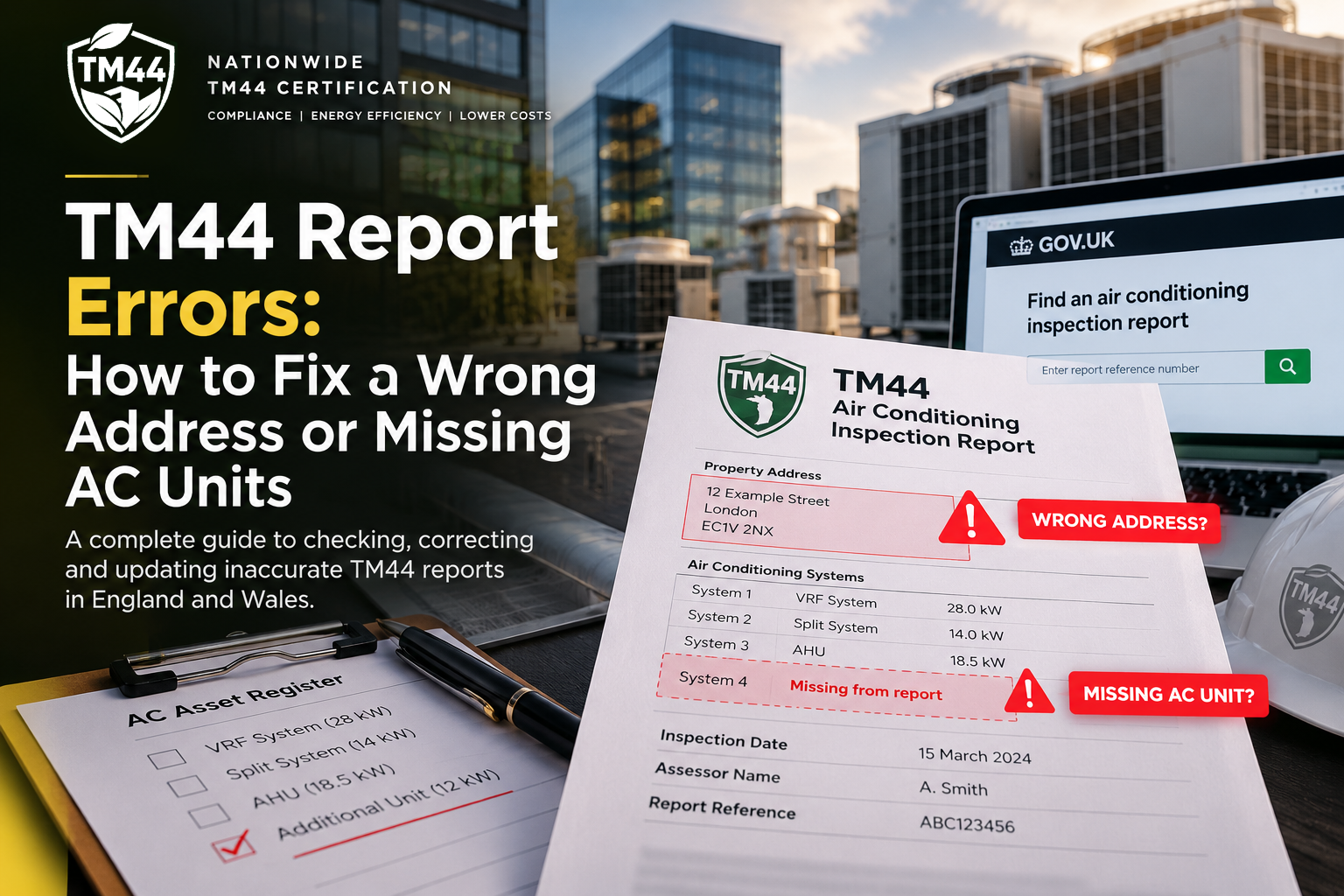
TM44 Report Errors: How to Fix a Wrong Address or Missing AC Units
September 28, 2026

Written by
TM44TeamAlfa
A TM44 air-conditioning inspection report is more than a document to file away after an inspection.
It is a formal record of an air-conditioning assessment, identifying the building, the accredited energy assessor and information about the systems inspected. For buildings in England and Wales that fall within the regulations, the report also forms part of the compliance evidence that should be retained by the person responsible for the air-conditioning system.
So what happens when something appears to be wrong?
Perhaps the property address is incorrect. An air-conditioning unit appears to be missing. The equipment schedule does not match what is installed. A system has been allocated to the wrong part of a multi-occupied building. Or you simply cannot find the report on the government register.
Not every discrepancy means that the original inspection was defective. Buildings change. Equipment gets replaced. Systems are extended. Tenants install additional split units. Addresses and unit descriptions can also be surprisingly complicated on large commercial estates.
However, genuine errors should not simply be ignored.
This guide explains how to identify a possible TM44 report error, determine whether it is actually an error, gather the right evidence and follow the appropriate correction process.
Important: The regulatory and complaints procedure discussed in this guide relates primarily to air-conditioning inspection reports in England and Wales. Scotland and Northern Ireland operate under separate arrangements.
First: What Information Should a TM44 Report Contain?
A useful starting point is understanding what you are actually checking.
Government guidance for England and Wales says an air-conditioning inspection report must contain information including the building address, the accredited energy assessor, inspection date and the government-approved accreditation scheme of which the assessor is a member. Reports produced on or after 6 April 2012 must also have a valid reference number generated through lodgement on the Energy Performance of Buildings Register. GOV.UK
The report is intended to provide information about the efficiency of the air-conditioning systems inspected and advice on potential energy-efficiency improvements.
If you are unfamiliar with the document itself, start with our detailed guide to the TM44 report.
When reviewing a report, check at least:
• Property name and address
• Postcode
• Inspection date
• Report reference number
• Energy assessor details
• Accreditation scheme
• Air-conditioning systems recorded
• Equipment descriptions
• Cooling capacities where recorded
• Controls and operating arrangements
• Maintenance information
• Efficiency observations
• Recommendations
• Any limitations or assumptions stated by the assessor
The objective is not merely to find typographical differences. It is to establish whether the report accurately represents the building and air-conditioning system that was assessed.
The 5 Most Common Types of TM44 Report Discrepancy
1. The property address is wrong
Address problems are particularly common in commercial property.
A building may be known by a trading name while the official postal address uses a unit number. A business park may have multiple units under one postcode. A large building may contain several separately occupied premises.
For example:
Actual site:
Unit 14, Example Business Park, Manchester, M1 XXX
Report:
Example Business Park, Manchester, M1 XXX
That difference does not automatically establish that the report is invalid.
The important question is whether the report clearly identifies the premises and air-conditioning system that were actually inspected.
A more serious issue would be a report displaying:
• A completely different unit number
• A different postcode
• Another building in the same portfolio
• An address belonging to a previous inspection
• A location that makes it unclear which system was assessed
If you find an address discrepancy, do not try to alter the PDF yourself. Establish what was lodged and contact the assessor if a correction appears necessary.
2. Air-Conditioning Units Appear to Be Missing
This requires more investigation.
Imagine your current AC asset register shows:
• 2 VRF outdoor systems
• 24 indoor fan-coil units
• 3 split systems
• 2 server-room systems
But the TM44 documentation appears to refer to only the VRF systems and two splits.
It is reasonable to ask why.
But first determine when the apparently missing equipment was installed.
That distinction is critical.
If a new split system was installed two years after the TM44 inspection, its absence from the earlier report does not mean the assessor made an error.
The building changed after the assessment.
On the other hand, if maintenance records, commissioning documentation or dated photographs demonstrate that the equipment was installed and operational when the inspection took place, the discrepancy deserves further investigation.
Before raising a complaint, establish a timeline.
Evidence worth checking
• Current AC asset register
• Asset register from the inspection date
• Planned preventive maintenance schedules
• F-Gas records where applicable
• Installation invoices
• Commissioning certificates
• Manufacturer information
• Previous TM44 reports
• Plant-room schedules
• O&M manuals
• Dated photographs
• Landlord or tenant alteration records
This is one reason maintaining an accurate air-conditioning asset register is so valuable.
3. The Equipment Description Does Not Match Your Current System
Another common situation is where the report describes equipment differently from the current maintenance schedule.
For example, your contractor calls a system:
Mitsubishi Electric VRF System 1
while the TM44 documentation uses another description or groups connected equipment differently.
That does not necessarily indicate an error.
TM44 assessment is concerned with the air-conditioning system and its operation, not simply reproducing whatever naming convention happens to appear in the maintenance contractor’s spreadsheet.
Before concluding that equipment has been omitted, compare:
• Manufacturer
• Model number
• Outdoor unit
• Indoor units
• System configuration
• Rated cooling capacity
• Physical location
• Areas served
Two differently named entries may describe the same system.
Wrong Report or Building Change? This Is the Key Question
This is probably the most important distinction in the entire process.
A TM44 report represents the building and system at the time of the inspection.
Commercial buildings rarely remain unchanged.
Over several years, an organisation might:
• Replace old split systems
• Add server-room cooling
• Extend an office
• Remove redundant AC
• Install additional indoor units
• Reconfigure floors
• Change tenants
• Alter controls
• Replace VRF equipment
• Change maintenance providers
Therefore:
A difference between today’s equipment and an older TM44 report does not automatically mean the report was wrong when it was produced.
Build a simple timeline.
Example
TM44 inspection: March 2024
Existing systems in March 2024:
• VRF System A
• VRF System B
• Split System C
New server-room split installed: November 2025
Current review: September 2026
Current systems:
• VRF System A
• VRF System B
• Split System C
• Server-room Split D
The absence of Split D from the March 2024 report would be entirely logical if it did not exist at the time.
Now change the scenario.
If commissioning documents prove Split D was installed in January 2023 and operational during the March 2024 inspection, then there is a legitimate question to investigate.
That is why evidence should come before accusations.
How to Check Whether the TM44 Report Was Actually Lodged
Do not rely solely on the PDF stored on a shared drive.
Check the official record.
For England and Wales, qualifying reports produced since 6 April 2012 must be lodged on the Energy Performance of Buildings Register to be valid. The government service allows searches for air-conditioning inspection reports by certificate/report number and also by property details. GOV.UK
You can also use the TM44 Checker as a starting point for checking your compliance position.
For a deeper explanation of the system, see our guide to the TM44 Register and our dedicated page explaining TM44 certificate government lodgement.
When checking a record, compare:
• Report reference number
• Property address
• Inspection date
• Assessor details
• Accreditation information
• Report details against your copy
If you cannot locate a report using an address search, do not immediately conclude that no valid report exists. Government guidance notes that address retrieval may not be available where the building owner has opted out of address-based public access. A report can still be retrieved using its reference number. GOV.UK
What to Do If the Address on Your TM44 Report Is Wrong
Use a controlled process rather than sending a vague email saying, “The certificate is incorrect.”
Step 1 — Confirm the correct address
Check reliable building records such as:
• Lease
• Land Registry documentation where relevant
• Business rates documentation
• Utility records
• Building management records
• Current postal address
• Unit designation
• Previous compliance documents
For multi-occupied properties, establish exactly which part of the building the inspected air-conditioning system serves.
Step 2 — Check the lodged report
Compare the copy you hold with the record associated with the government register.
Step 3 — Establish whether the difference is material
“ABC House” instead of “ABC House Ltd” may simply be a naming difference.
“Unit 4” instead of “Unit 14” is potentially much more significant.
Step 4 — Contact the energy assessor
Provide:
• Report reference number
• Inspection date
• Address shown on the report
• Correct address
• Explanation of the discrepancy
• Supporting evidence
Keep the communication factual.
The objective is to establish what happened and obtain the appropriate correction where required.
What to Do If AC Units Are Missing From the Report
Missing equipment can be more complicated because you need to establish whether it formed part of the system requiring assessment at the relevant time.
Start by producing a simple comparison table internally.
Equipment | Installed at inspection date? | On report? | Evidence available?
Example:
VRF-01 | Yes | Yes | Asset register
VRF-02 | Yes | Yes | Asset register
Split-01 | Yes | Yes | PPM records
Split-02 | Yes | No | Commissioning certificate
Server AC-01 | No — installed later | No | Installation invoice
This immediately separates potential reporting issues from later building alterations.
Then provide the assessor with the evidence relating only to the disputed equipment.
Do not send 200 pages of maintenance documentation without explanation.
A concise evidence pack is far easier to investigate.
What Evidence Should You Send to the Assessor?
A good correction request should allow another person to understand the problem quickly.
Consider providing:
• TM44 report reference
• Copy of the relevant report page
• Correct property address
• Current asset schedule
• Historical asset schedule where available
• Manufacturer/model details
• Equipment photographs
• Serial numbers where relevant
• Commissioning documentation
• Installation date
• Maintenance records
• Short written explanation of the suspected discrepancy
For a missing unit, a photograph alone may not prove that it existed at the date of the original inspection.
A commissioning record dated before the inspection is substantially more useful.
This is where good facilities-management documentation becomes valuable.
Who Should Correct an Inaccurate TM44 Report?
You should not edit the report yourself.
If the issue concerns the quality or accuracy of an air-conditioning inspection report in England and Wales, current government guidance says the first point of contact should be the energy assessor who produced it. GOV.UK
That makes sense because the assessor can review:
• Site notes
• Equipment records
• Photographs
• Assessment data
• Lodgement information
• Original evidence
If an error is confirmed, the correction needs to follow the proper reporting and lodgement process.
Simply modifying the PDF stored internally does not correct the official record.
What If the Original Assessor Does Not Respond?
There is a formal escalation route.
Government guidance says that if the assessor is no longer practising, or you are dissatisfied with their response, you should contact the accreditation scheme to which the assessor belonged. The assessor and accreditation-scheme details should be available on the report. GOV.UK
Accreditation schemes are responsible for managing accredited assessors and quality-assuring their air-conditioning inspection reports.
The current government guidance lists approved air-conditioning energy-assessor accreditation schemes including:
• CIBSE
• Elmhurst Energy
• Quidos
• Sterling Accreditation
Check the current government guidance rather than relying on an old list, because approved schemes can change. GOV.UK
What Happens If the Report Is Confirmed to Be Wrong?
This is one of the most important points for property managers.
Government guidance states that where the information on an air-conditioning inspection report is found to be wrong, a new report must be provided and the inaccurate report cancelled on the register.
The guidance also says this procedure should be followed at no cost to the complainant. GOV.UK
That means the correct solution is not:
• Manually changing the PDF
• Adding a handwritten note
• Renaming the file
• Keeping both versions without explanation
• Editing your internal spreadsheet and assuming the issue is resolved
The formal record needs to be dealt with correctly.
Once a replacement is issued, verify the new lodged record.
What If the Assessor Is No Longer Practising?
Do not assume that the problem is impossible to resolve.
Government guidance specifically anticipates this situation.
If the assessor is no longer practising, the matter can be raised with the accreditation scheme shown on the report. GOV.UK
Provide the scheme with:
• Report reference
• Building address
• Assessor’s name
• Description of the suspected error
• Supporting evidence
• Previous correspondence if applicable
The scheme can then investigate under its quality-assurance and complaints procedures.
What If the Accreditation Scheme Still Does Not Resolve It?
Government guidance provides another safeguard.
Where a complaint cannot be resolved satisfactorily, the accreditation scheme can refer the matter to an independent third party for adjudication. GOV.UK
This is why it is important to preserve a clear evidence trail.
Keep:
• Original report
• Correspondence
• Asset schedules
• Photographs
• Installation records
• Complaint reference numbers
• Corrected report
• Evidence of the replacement lodgement
Do not delete the supporting audit trail once the problem is corrected.
A Missing Unit Does Not Automatically Mean You Need a Complaint
This deserves emphasis.
There is a major difference between:
“The assessor missed equipment that existed.”
and:
“The building has changed since the inspection.”
Suppose your business installs another 15 kW split system after the previous inspection.
The historical report cannot retrospectively list equipment that did not exist.
Instead, the change should be incorporated into your building records and considered when determining the current system configuration and future compliance requirements.
If you are uncertain whether your current system falls within the regulatory threshold, our TM44 kW Checker provides a useful starting point.
For the underlying regulatory requirements, see our TM44 Regulations UK guide and TM44 legal requirements for commercial buildings.
The legislation in England and Wales applies the inspection regime to air-conditioning systems with an effective rated output of more than 12 kW, with rules governing how multiple units under common control are treated. Legislation.gov.uk
Why an Accurate AC Asset Register Matters
One of the easiest ways to create problems at the next TM44 inspection is to have no reliable record of what equipment is actually installed.
An effective AC asset register should ideally identify:
• Asset ID
• Manufacturer
• Model
• Serial number where available
• Equipment type
• Rated cooling output
• Indoor/outdoor relationship
• Area served
• Installation date where known
• Maintenance status
• Operational status
• Notes on replacement or removal
For large buildings, the relationship between indoor and outdoor equipment is particularly important.
A site may contain dozens of indoor units while having a much smaller number of primary systems.
Without good records, it becomes easy to mistake a different counting methodology for missing equipment.
TM44 Report Errors During Property Purchase or Handover
This issue becomes especially important during acquisition, lease handover or facilities-management mobilisation.
Imagine taking responsibility for a commercial building and receiving:
• One TM44 report
• Three years of maintenance records
• An outdated AC asset register
• Several replacement invoices
• No clear explanation of what changed
Do not assume the historical TM44 report describes today’s installation.
Reconcile the documents.
A practical handover review should ask:
• Is there a lodged TM44 report?
• When was the inspection completed?
• Which systems existed on that date?
• What equipment has subsequently been installed?
• What has been removed or replaced?
• Who now controls the operation of the system?
• Is the report still within the relevant inspection cycle?
• Does the current asset register reflect the actual site?
Government guidance places responsibilities on the person controlling the operation of the air-conditioning system, including keeping the most recent report and passing it to a person taking over responsibility. If responsibility changes and the new controller has not been given a report, the guidance explains that an inspection may be required within three months. GOV.UK
This makes TM44 documentation an important part of commercial property handover rather than something to request after the transaction has already completed.
Multi-Tenant Buildings Need Extra Care
Commercial buildings with several tenants can create particularly confusing records.
Consider a five-storey office building where:
• The landlord controls central cooling
• Tenant A has additional split systems
• Tenant B installed server-room cooling
• Tenant C occupies two floors
• Some equipment is connected to landlord systems
• Other equipment is independently controlled
Simply counting every visible AC unit is not enough.
The question of who controls the technical functioning of the systems matters.
Government guidance describes the controller as the person controlling the technical functioning of the system, rather than someone whose responsibility extends only to adjusting temperatures or controls. GOV.UK
This is why complex buildings benefit from clear system boundaries, equipment schedules and responsibility records.
Practical Example: A “Missing” 12.5 kW Unit
Consider a facilities manager reviewing a report for a warehouse.
The report covers:
• VRF system — 48 kW
• Office split systems — 22 kW combined
During a later site review, another 12.5 kW unit is found serving a communications room.
The immediate reaction might be:
“The TM44 assessor missed a unit.”
But investigation shows:
• TM44 inspection: May 2023
• Communications-room AC commissioned: February 2024
• Installation invoice confirms the date
• Updated PPM schedule first records it in March 2024
There is no evidence that the original report was inaccurate.
The system changed.
Now consider exactly the same situation except that the commissioning certificate is dated February 2022.
That changes the question completely.
The facilities manager now has evidence that the equipment existed before the May 2023 inspection.
That does not by itself determine why the equipment is absent, but it gives the assessor a specific discrepancy to investigate.
That is the correct approach:
Evidence first. Conclusion second.
How to Prevent TM44 Report Problems Before the Next Inspection
Correction is useful.
Prevention is better.
Before your next TM44 air-conditioning inspection, assemble the information the assessor is likely to need.
Prepare:
• Current AC asset register
• Previous TM44 report
• Maintenance records
• F-Gas documentation where applicable
• O&M manuals where available
• Equipment replacement records
• Details of recently installed systems
• Access arrangements
• Plant-room access
• Roof access
• Control/BMS information
• Site contact details
Our TM44 inspection evidence guide explains the type of evidence worth preparing.
Good documentation can reduce ambiguity and help the assessor understand complicated installations more efficiently.
After a Correction: Do These 6 Things
Once the issue has been resolved, do not stop when somebody emails you a new PDF.
Complete the compliance trail.
1. Verify the replacement report
Check the building address, relevant system information, assessor details and dates again.
2. Confirm the official record
Make sure the appropriate corrected report has been properly lodged.
3. Update your compliance register
Record the new reference and relevant dates.
4. Update the AC asset register
If the investigation revealed outdated asset data, correct that too.
5. Archive the evidence
Keep the correspondence and supporting documents.
6. Brief whoever manages future compliance
For portfolios, ensure the correction reaches the facilities-management or compliance system rather than remaining in one person’s inbox.
Government guidance recommends keeping the report with maintenance and other energy records, such as the building log book or O&M documentation, so that it is available for subsequent inspections. GOV.UK
A Simple TM44 Report Error Checklist
If you believe your report is inaccurate, work through this sequence:
✓ Find the lodged report or report reference.
✓ Compare the address carefully.
✓ Compare the report against the equipment installed at the inspection date, not just today’s installation.
✓ Check historical asset and maintenance records.
✓ Establish installation dates for apparently missing equipment.
✓ Gather concise supporting evidence.
✓ Contact the original assessor first.
✓ If unresolved, identify and contact the assessor’s accreditation scheme.
✓ If an error is confirmed, ensure the formal correction and replacement process is completed.
✓ Verify the corrected record.
✓ Update your internal compliance and asset registers.
✓ Retain the evidence for the next inspection or property handover.
TM44.uk: Nationwide TM44 Inspection and Compliance Support
If you have inherited a building with incomplete TM44 records, cannot establish whether an existing report matches the current installation, or need a new inspection, TM44.uk can help you establish the next practical step.
Our nationwide service supports commercial property owners, facilities managers, managing agents, schools, offices, industrial premises and multi-site organisations.
We can assist with:
• TM44 air-conditioning inspections
• Existing-report checks
• Government lodgement
• AC system and asset information review
• Multi-site inspection coordination
• Portfolio compliance
• Inspection evidence preparation
• New or overdue TM44 inspections
For organisations responsible for multiple properties, see our TM44 Portfolio Management service.
If you need a new assessment, you can request a TM44 quotation and provide the property address together with any available air-conditioning equipment schedule.
Final Point: Verify Before You Correct
The presence of a discrepancy does not automatically prove that a TM44 report was incorrectly produced.
A different building name may simply be an address convention.
A “missing” unit may have been installed after the inspection.
An equipment description may differ from the maintenance contractor’s terminology while referring to the same system.
But genuine inaccuracies should be investigated and, where appropriate, corrected through the proper process.
The most effective approach is straightforward:
Check the lodged record. Establish what equipment existed at the inspection date. Gather evidence. Contact the assessor. Escalate through the accreditation scheme if necessary. Verify the corrected report when the process is complete.
TM44 Report Guidance
Questions About Errors in Your TM44 Report?
If the property address looks wrong, an air-conditioning unit appears to be missing or the report does not match the equipment currently on site, these answers explain what to check and what to do next.
Can I correct a TM44 report myself?
No. A lodged TM44 report should not be manually altered. If you believe information is incorrect, contact the energy assessor who produced the report and provide the report reference together with evidence of the suspected error.
What should I do if the property address is wrong?
First confirm the correct building name, unit number and postcode. Then compare those details with the lodged report. A different building name may simply be another naming convention, but an incorrect property, unit or postcode should be investigated with the assessor.
What if an air-conditioning unit is missing from the report?
Check when the equipment was installed. If the unit was added after the TM44 inspection, it would not normally appear in the earlier report. If records show it existed when the inspection took place, provide that evidence to the assessor and ask them to review the discrepancy.
How do I check whether my TM44 report was officially lodged?
Check the report reference and property details against the relevant air-conditioning inspection record. You can also use the TM44 Checker or read our TM44 Register guide .
Does a TM44 report need a reference number?
Applicable lodged reports in England and Wales should have a valid report reference associated with the official register. If your copy has no clear reference number, check its lodgement status before relying on it as compliance evidence.
What if the original TM44 assessor no longer practises?
Check the report for the assessor's accreditation scheme. If the original assessor is no longer practising or cannot resolve the issue, the relevant accreditation scheme can be contacted with the report details and supporting evidence.
What happens if an error in the report is confirmed?
A confirmed reporting error should be handled through the formal correction process rather than by altering the existing PDF. Once a replacement report has been issued, check it carefully and retain the corrected version with the property's compliance records.
Does installing a new AC unit make an older report incorrect?
Not automatically. A TM44 report reflects the installation at the time of the inspection. Equipment installed later does not mean the earlier report was inaccurate. The new equipment should instead be added to the current AC asset register.
What evidence should I collect before raising an error?
Useful evidence can include the existing TM44 report, historical asset registers, commissioning certificates, maintenance schedules, installation invoices, equipment details and dated photographs. The key question is what equipment existed when the original inspection took place.
What if I still cannot tell whether the report is accurate?
Compare the existing report with the current equipment schedule and identify what has changed since the original inspection. If the position remains unclear, TM44.uk can assist with a nationwide TM44 inspection where a new assessment is required.
Unsure whether your existing report is correct?
Send us the property details, your current TM44 report and any available AC equipment information. We can help you establish the most appropriate next step.
TM44 Checker v9 Pro
Check TM44 compliance status in seconds
Search the official GOV data routes and public register fallback. If a record is missing or unclear, request a manual compliance review from TM44.uk.
Official data routesGOV fallbackCommercial buildings only
Case Studies & Success Stories Energy Efficiency & Cost Savings Guides & How-To Articles Industry News & Updates TM44 Compliance & Regulations
Related Posts
October 8, 2026